Things I Recommend You Buy & Use

There is a very specific genre of blog called Things I Recommend You Buy and Use. Sam Bowman started it and was followed by Rob Wiblin, Alexey Guzey, Gavin Leech, Peter McLaughlin and Sam Enright. So here's my turn to share with you some Things I Recommend You Buy and Use, although at times I take a loose definition of "use" because I can't think of any other context when I would recommend these things to anyone.
Reading
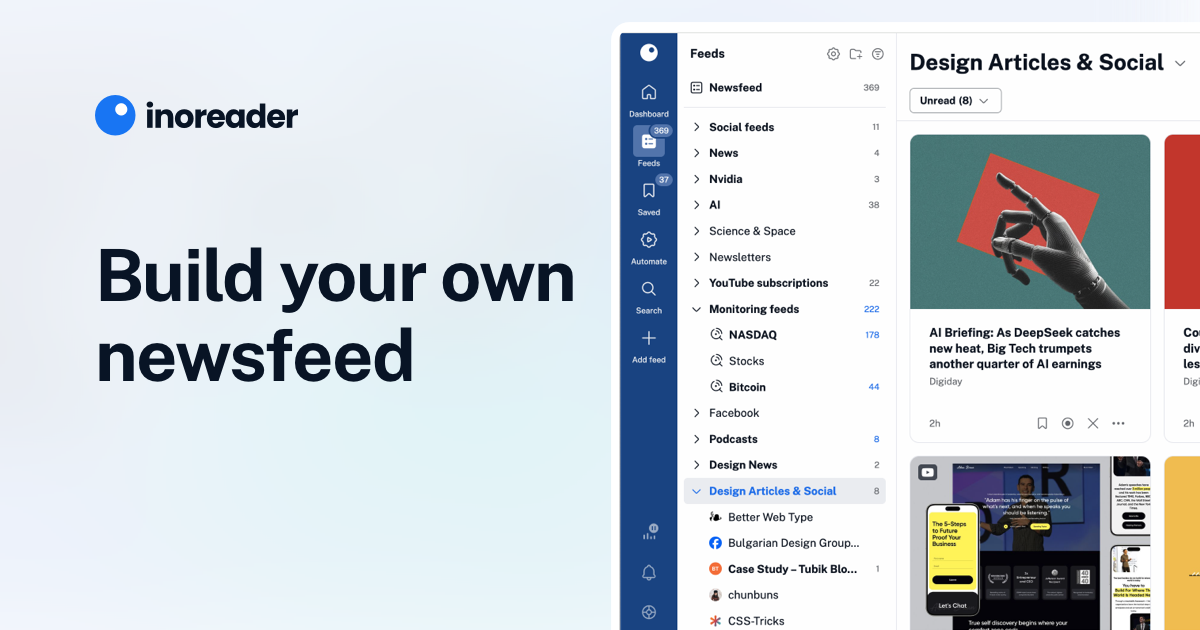
Inoreader
Inoreader is an RSS app that consolidates the feeds you follow in one place. I use it to follow blogs like Marginal Revolution; Substack newsletters like Slow Boring; and YouTube videos like Patrick H Willems - all in one app. I use the free plan, but you can upgrade to Pro if you want your feed to also follow social media, non-RSS websites and to access some other features (I personally have never been tempted to get Pro, but your needs may vary).

Instapaper
Instapaper is a ‘read-it-later’ app for websites, blogs and other online articles. If you used Pocket before it closed down, you’ll recognise Instapaper. When you find an article you want to read, send the link to Instapaper. It will download the article for you to read later with no ads or pop-ups - just the pure text and images.
Instapaper is excellent for consolidating your reading in one place. It has a text-to-speech function which lets you listen to articles, however, I’ve found Instapaper's controls unreliable here. Often the text-to-speech audio will abruptly stop mid-article. However, the core read-it-later function is strong and I recommend it based on that alone.
A premium tier is available if you want to highlight articles (free tier allows 3 highlights / month), write notes, and access other features. I use the free tier.
I've built a workflow where I check what I want to read on Inoreader on my phone. Of the articles I'm interested in, I share them with Instapaper app using the Android share menu, just as I would share an article over WhatsApp. Instapaper then downloads the articles and I read them on the Instapaper app. Convenient!


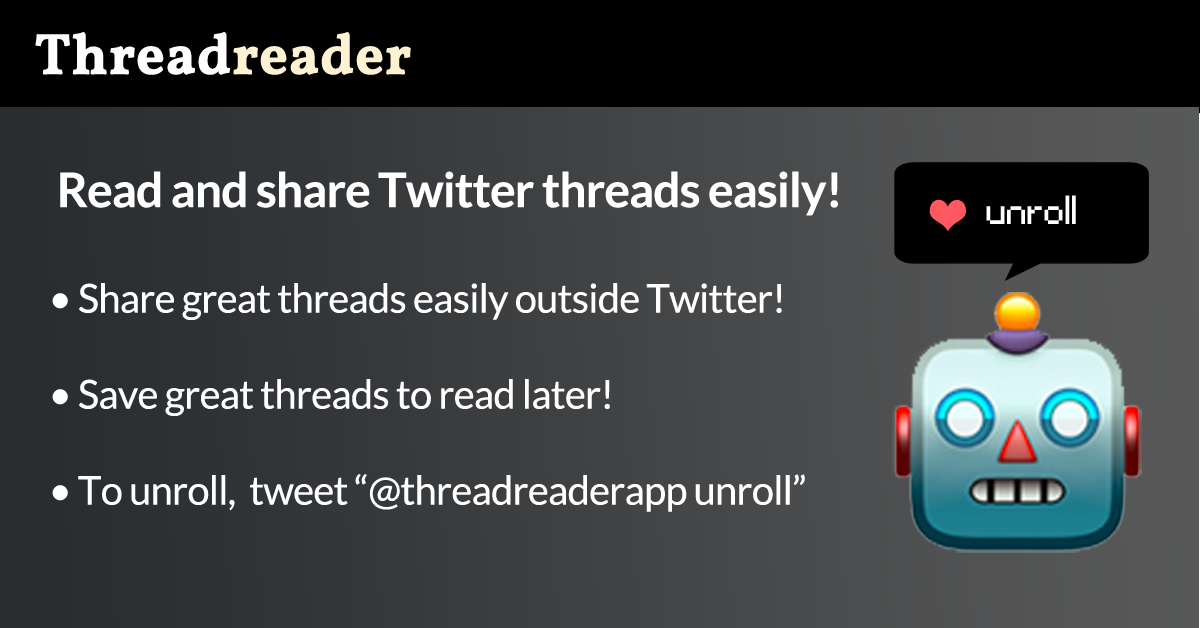
ThreadReader
ThreadReader is a website that scrapes Twitter threads, consolidating the text and images in one location. Very useful if you want to read long form Twitter content in one place that's not Twitter. There’s a premium plan if you would like to download the threads as PDFs, among other features.
I use ThreadReader to read Menswear Guy's tweet-threads on long flights. I navigate to his account on ThreadReader, share a bunch of ThreadReader threads to Instapaper, then read the threads offline on Instapaper.

Travel
Eurostar Snap
Do you plan on taking the Eurostar from London or Paris to one of its many destinations, and could you be flexible on the time of day that you travel in exchange for up to 50% off the fare? Then you should try Eurostar Snap (UK, FR). You choose a travel date in the next 14 days, select a very broad timeslot when you can travel, buy your ticket, and 48 hours beforehand Eurostar will tell you what train you’re catching. Snap is not super well-known because it was introduced in 2016 then cancelled in 2019 then resumed in 2024. Snap is excellent for cash-poor, time-rich travellers or for those with flexible travel plans.


Airalo
This app lets you purchase e-sims when travelling so you have mobile data (and sometimes a phone number) in the destination country. I’ve used this for nearly five years and I gladly recommend them. Installation can be a bit fiddly though - do it before you land in the destination! You need an e-sim compatible phone to use this, obvs.

Citymapper
This is Google Maps on steroids. It plans your journey from A to B but adds in extra planning options like bike-and-ride. It's freemium, so you need to pay to remove ads and access advanced trip planning (I prefer to endure the ads).
Citymapper integrates with ride-hailing apps so if you decide that the train is too slow, Citymapper can send the start/destination to your preferred ride-hailing app. Citymapper is available in over 80 major cities. That's great coverage, but if you go on holiday further afield you probably won't have Citymapper coverage and will need to use Google Maps instead.
 Apple
Apple
Google Maps, double-tap to zoom
Have you ever tried using Google Maps with only one hand? Did you find it hard to pinch-to-zoom with only one hand? A handy solution is that you can also zoom by double tapping your finger then sliding it up and down the screen to zoom. Not many people know it, but it makes it much easier to handle Google Maps while you're on the move.
Jon Porter
Curve Card
This payment app / virtual bank card consolidates all your other bank cards under one card. Useful if you have many different cards and want to use them in one place. But that's not why I use it.
The real kicker, for me, is that my French bank card is incompatible with Google Wallet and Garmin Pay. However, Curve is. So I linked my French card to Curve and use Curve to pay with my phone's Google Wallet and on my Garmin watch.
Paid tiers add features like linking more cards (free is limited to two), waiving foreign ATM fees, and others - though I have no need for such things.

Language learning
Lingvist
Lingvist is a language learning app built around spaced-repetition. If you are learning a foreign language, apps alone are not sufficient. However, I've found Lingvist far and away the best of the insufficient lot.
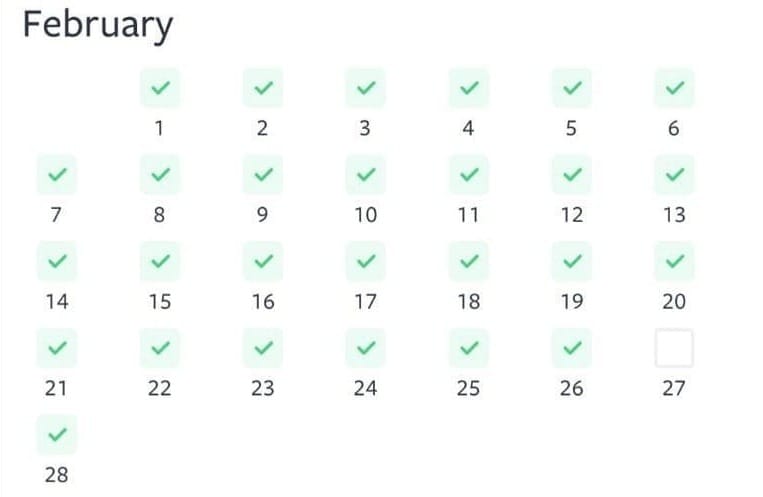
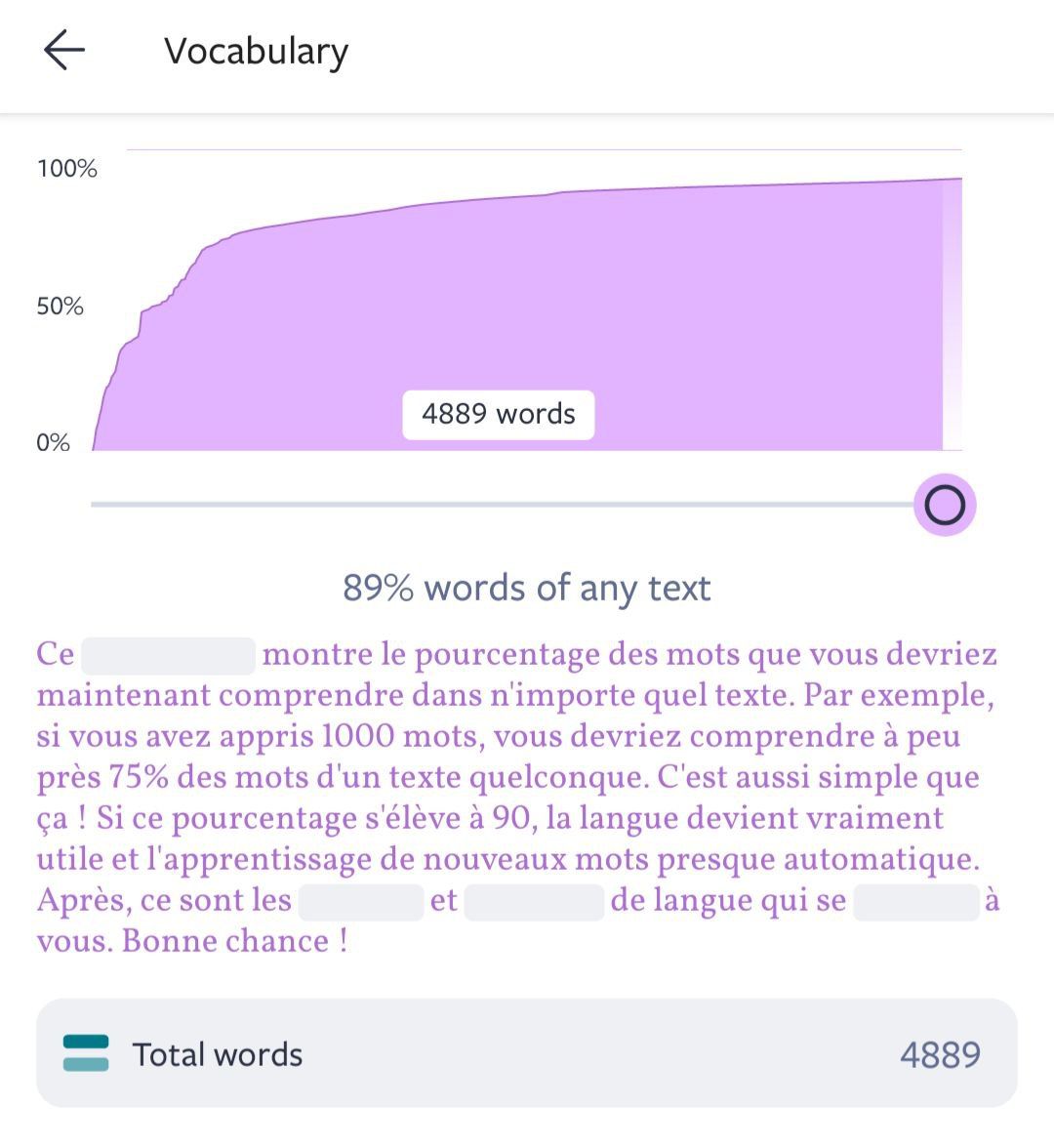
Lingvist is great for building vocabulary. You are shown new words in order of frequency in everyday speech, not grouped by arbitrary topic like Duolingo, my most hated of all apps. In Lingvist, you are always shown words in contextual sentences. If you input a synonym, Lingvist asks you to have another go without failing you. The algorithm shows you words in order of your need to rehearse them. A cool feature I enjoy is it tracks what proportion of an average paragraph you should be able to recognise based on the words you've learnt.
Lingvist can teach English speakers the vocab for French, German, Spanish (European & Latin American), Russian, Italian, Dutch, Brazilian Portuguese, Polish, Swedish, Danish, Norwegian, Japanese, Korean, and Estonian (Lingvist was founded in Estonia). If you speak any of these languages you can learn English and others. The annual plan comes with a free trial period. There's a student discount if you email them with a student address.

Privacy
Greycoder
If you care about your online privacy, then Greycoder is an excellent resource. The site is a one-stop-shop for finding private email providers, burner email addresses, secure messaging apps, VPNs, anonymous payment providers, secure cloud storage, privacy respecting web browsers and extensions. I’ve followed Greycoder for nearly a decade. I consult it anytime I travel anywhere that internet access is less than free and fair. I highly recommend it.


Bitwarden
Everyone should be using a password manager. There are many laudable options out there, but I highly recommend Bitwarden. It's a freemium, open-source password manager. You can even self-host Bitwarden if you want to keep all your passwords on a home server (though I keep mine on the Bitwarden cloud). I've almost always used the free plan, though I did upgrade to premium briefly for the extra security reports (I only needed them once for a security audit, then I dropped back down to the free plan).

ProtonVPN
ProtonVPN is another kind-of-recommendation because if you need a VPN, I think Proton is very good. However, most people don't need a VPN. As Greycoder writes, you only need a VPN if you have to:
- Hide your internet browsing from your Internet Service Provider (ISP).
- Evade tracking on public Wi-Fi networks, e.g. Airport or Cafe Wi-Fi.
- Access content while travelling without exposing your real IP address.
A VPN doesn't protect you from many other online threats (e.g. if you click a phishing link while on a VPN, you're still going to get phished). I use a VPN but my needs have been relatively niche, such as:
- Using a VPN to purchase Bulgarian railway tickets only available to Bulgarian IP addresses (I was going on holiday to Bulgaria, read all about it)
- I was on holiday in London, and I wanted to scroll Discord. However, Discord told me that because I was in the UK I needed to show them my passport if I wanted to check my messages. So I opened my VPN, changed my IP address to France (where I lived), and the request to see my passport disappeared.
- Working from a café in Laos where they blocked my Bruce Springsteen playlist. I switched to a Singapore IP address and I could once again work to the beat of Springsteen's rock n' roll.
- When I watch YouTube on my phone, it plays ads tailored to the country I'm in. However, if I activate the VPN in a country with very few ad-buys, there are far fewer ads. When I set my VPN to Albania, I seem to get much fewer ads.
- When I download podcasts, the ads are tailored to the country my phone's in. If I set my VPN to a country with very few ad-buys (e.g. Albania again) I get little to no ads in my podcasts.
So, if you fall into the narrow category for whom a VPN is useful, which one should you get? I personally use ProtonVPN. It's a bit more expensive than other VPNs but it's faster, has a better app and offers more servers around the world. There are lower cost alternatives, but you get fewer servers and slower speeds. Be careful with 'free' VPNs because many will harvest your data.
I recently switched to ProtonVPN, so this is based on early experience (so far, so good) plus the fact it's recommended on Greycoder (see above).
Available at: https://protonvpn.com/
What about ExpressVPN?
Before Proton, I'd happily used ExpressVPN for nearly a decade. However, Kape Technologies bought ExpressVPN in September 2021 and that raised concerns.
First, Kape was originally Crossrider, a firm that security companies flagged as distributing malware. One of its co-founders had served in Israel's Unit 8200 signals-intelligence agency. In 2020, Crossrider rebranded to Kape because of these "strong association to the past activities of the company".
Second, six days before Kape announced it was buying ExpressVPN, their CIO settled a case with the US Department of Justice and paid a $335,000 USD fine. The then ExpressVPN CIO had worked on Project Raven, a UAE operation that hacked the devices of journalists, activists and heads of state. ExpressVPN knew his background when they hired him.
Third, Kape purchased a set of VPN review sites that then, conveniently, changed their ranking to put Kape's VPNs at the top of their recommendations.
None of this is proof ExpressVPN has done anything sketchy with user data. Its no-logs claim held up in 2017 when Turkish police seized one of its servers and they uncovered nothing useful. It participates in independent audits of its products.
But a VPN is worthless if you don’t trust it. Kape and ExpressVPN have behaved suspiciously, and many users understandably don't trust them. I'd rather not use a VPN whose company behaved this way when there are many better alternatives.
Meeting people
Timeleft
This app organises dinner parties with random guests around the world. You sign-up for a set period, indicate your availability and the app organises a dinner / drinks at a restaurant / bar in your city with other app users. A great way to meet people. I’ve enjoyed using it in Paris. Other people I met use it when they travel to meet locals in their destination. I’ve never had a bad experience on it.
Timeleft
Breeze
This is a dating app which, in my opinion, has a clever design:
- Breeze gives you 6-7 profiles to choose from every day at 19:00, so you decide to match based on the options available instead of doom-scrolling.
- If you don’t swipe left or right, your undecided profiles keep using a slot in your limited 6-7 profiles. This nudges you to be decisive.
- If you match, there’s no chat, you immediately organise a time to meet. Breeze provides pre-approved venues in their booking system. If you can’t do any of the pre-arranged times, Breeze allows limited chat to organise a venue.
- Profiles earn badges for good conduct. You can choose to not match with people if they lack these badges.
- If you do have a bad date at a Breeze venue, the staff will follow the Breeze-approved plan to order you a taxi.
Full disclosure: I met my partner on Hinge, not Breeze. But even though I matched on Hinge with someone who's a perfect ten, that doesn't necessarily mean Hinge is the better app. If you're on dating apps, you might like to give Breeze a go. Breeze charges per date (no subscription), which covers the booking and your first drink at the venue.

Health and wellness
Strong
If you are new to the gym, there are a few basics you might not realise you need. One of them is to track how much weight you move, for how many reps and sets, with how much rest time, in what order and on what days (do not just vibe it). What gets measured gets managed and you need to measure your workouts.
Your tracker does not need to be elaborate. It can be as simple as a spreadsheet - I have friends who log their workouts on Google Sheets. I started on Stronglifts 5x5 for its simplicity, moved on to GymRun and I thought it was decent (I did kind of, sort of, recommend them in 2023 after all) but now I use Strong.
Strong is a great app but it's a little bit contentious among online lifters. Why is it contentious? The latest version 6.0 took five years to be released. Users were convinced the app was abandonware. Many folks switched to Hevy (which I also tried and simply did not enjoy the UX). But I joined the Strong 6.0 beta and it was excellent. I liked specifying warm-up sets, working sets and drop sets. I enjoyed the persistent notes on exercises. I enjoyed scoring each set by the rate-of-perceived-exertion. I enjoyed the range of existing exercises. And when I reported a bug to Strong I got an email reply the same day.
The free version saves unlimited workouts but you can only create three custom routines. Strong Pro unlocks unlimited routines and other features.

MacroFactor
This is a nutrition logging app. If you're monitoring your calories to lose weight, gain muscle or otherwise manage your nutrition, I've found it to be a great app. You set your weight target and it provides a reasonable plan for doing so.
I love the range of products in the barcode scanner - it has never failed to scan any product I give it in Australia, France or the UK. It sometimes struggled with local products in Singapore, but that was very early in the app's development and their database has grown considerably since then.
A small note on my own experience. Using it I've felt nudged towards barcode scannable or easily quantified foods. It's not MacroFactor's fault, it handles raw foods OK, just weigh them and input the values in the app. But I'm too lazy for this, especially if I get lunch at my work canteen and I have no idea whether they served me 150 or 200g of green beans. So I just don't bother and bring a supermarket sandwich with an easy to scan barcode.
You can subscribe to MacroFactor on a monthly or six monthly basis. There is no free tier, but there's a 7-day free trial.
 MacroFactor Team
Water flosser
This is a tooth flosser that uses water to blast away the gunk you would otherwise remove with string floss or a toothpick. I prefer to use a water flosser because I have a wire behind my bottom teeth (read about it here), which means that string floss can't get between my teeth. The water just blasts around the wire, clearing out the gunk. It doesn't get everything though, so I pair it with an inter-dental pick to clean out the stragglers.
Note that the pressure of a water flosser can take getting used to. Build up slowly from a lower setting until you get the feel of it. It helps to also start using it in the shower until you get a sense of the drippage. (These are surmountable problems. I leave mine next to the sink and use it on full pressure, but start yourself slowly).
Generally the order you want to use it goes: 1) water flosser, 2) interdental pick, then 3) toothbrush and toothpaste. I use a Waterpik I got on Amazon and it does the trick.

Tech
Mechanical keyboard
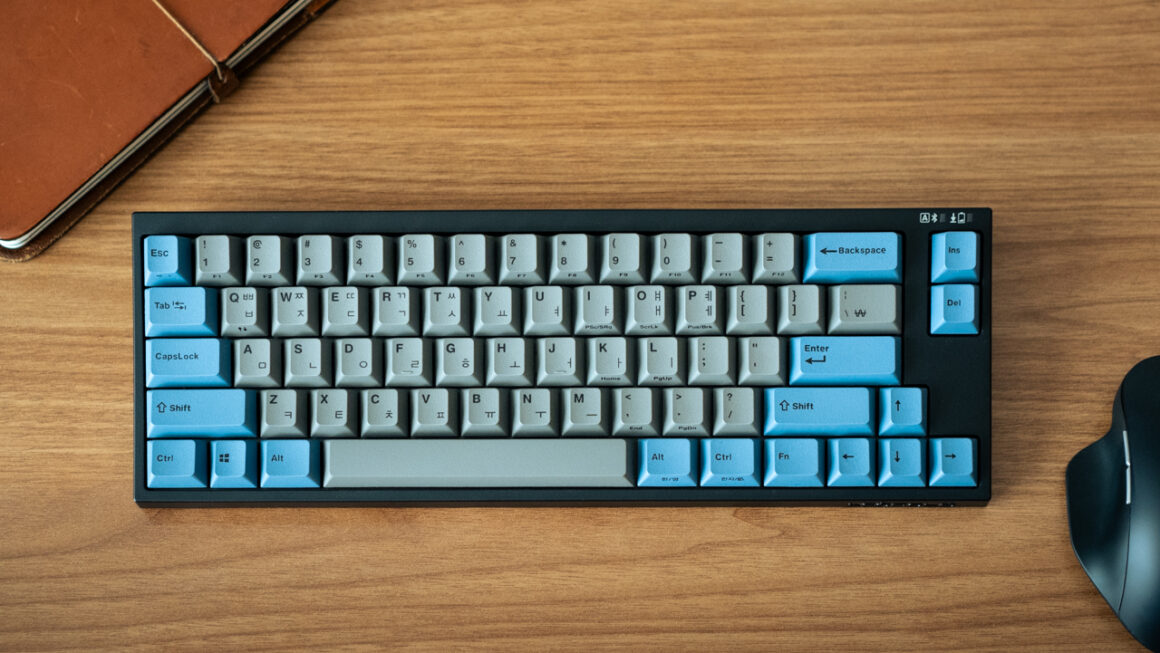
If your job is in any way part of the knowledge economy, you're almost certainly typing for a large part of your day. Get a mechanical keyboard that's good to type on. The keys have much better travel and bounce, which improves typing speed and reduces typing errors.
r/mechanicalkeyboards is great to check layout, switches, key-caps, etc. I love typing on my Leopold FC660 with silent red switches because they're quiet. Be careful though, some people go really into it.
Smart Launcher 6
A smartphone launcher is the app that powers your home screen and app drawer (where you see all the apps installed on your phone). Most people use the default launcher that ships with Android / iOS. However, there are 3rd party alternatives with additional features.
I use Smart Launcher 6 on my Pixel. I like to keep my home screen mostly empty and access apps through search or an organised app drawer. Smart Launcher has a fantastic search bar, you just swipe down from the top and it searches your phone's apps, its storage, the Play Store, the web and other sources. It also has an in-built RSS feed page (see Inoreader, above, for a dedicated app equivalent). And the app drawer organisation is top-notch. I think it's worth the small one-time purchase price.
Nathan Drescher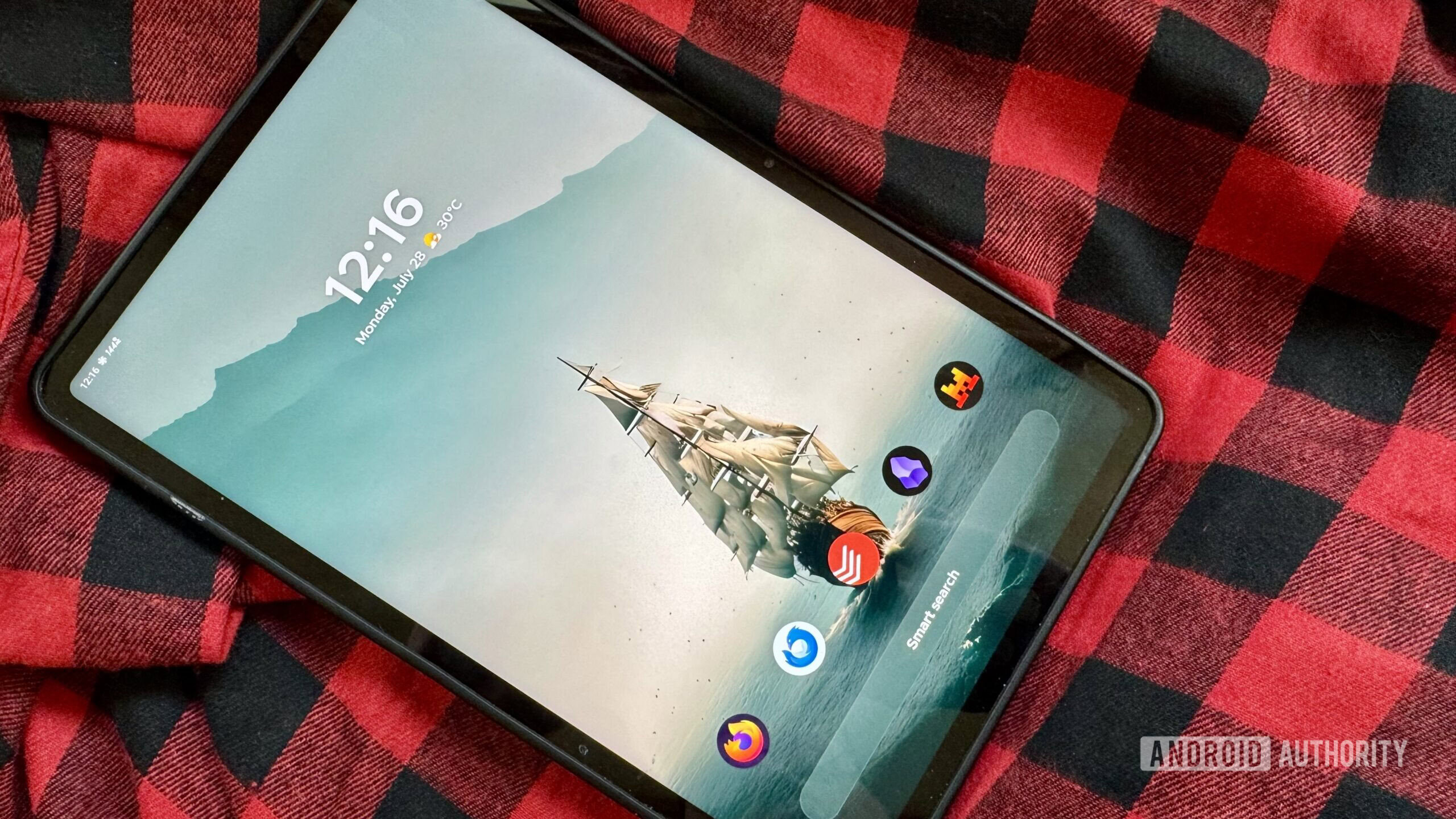
Around the home
Digital radio
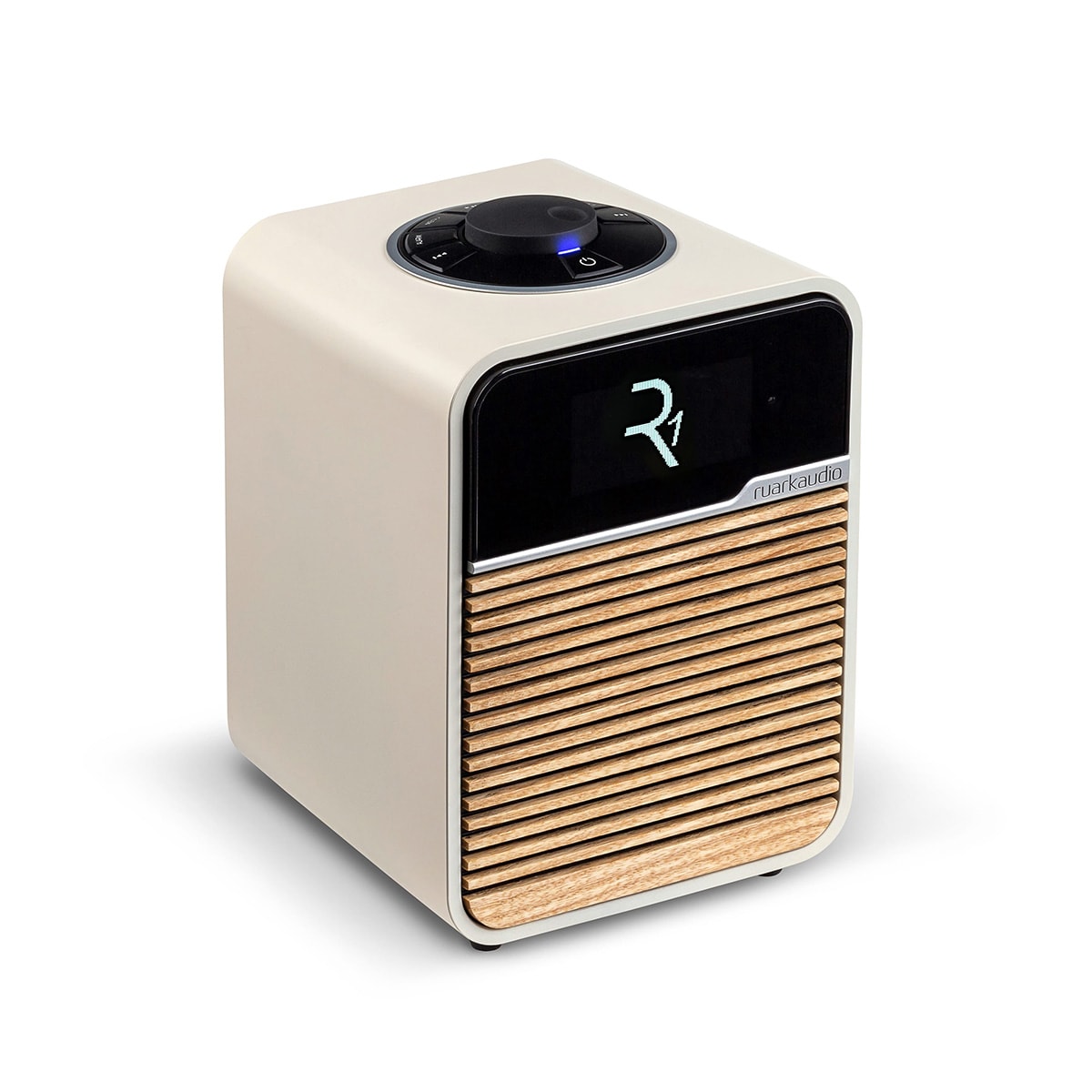
If you live in a country with DAB+ radio, it's not a bad idea to get a digital radio. I use a Ruark R1 and it's superb. I used mine in Australia to wake up to ABC news every morning. In France, I leave it on FranceInfo all day so I'm exposed to spoken French and can improve my listening. A DAB radio's sound quality is far better than AM/FM, although it's not a bad idea to also have a hand-cranked AM/FM radio in your home in the event of natural disasters.
Robot vacuum
Save yourself hours of vacuuming (or so I assume). I had a Eufy robot vacuum which was acceptable. Now I use an Ultenic, which is a decent upgrade. If you have a small apartment, then a cheap robot that criss-crosses the home at random does the job. However, a larger home, like my 50m² apartment, benefits from a robot vacuum that maps your home and vacuums it methodically. Note, you will need to make your home 'robot vacuum proof', e.g. blocking low hanging items that the robot wedges its head under and can't get out. But once you've done that it's fantastic. I wish I got one sooner.
Diatomaceous earth / stone bathmats
This is a bathmat made of porous stone. When you stand on it, the water is absorbed into the stone where it dries over the course of the day. I got one because the robot vacuum (see above) was eating my fabric bathmat. The diatomaceous stone mat is, well, stone - so the robot vacuum just drives over it without getting caught.
Mesh laundry bags
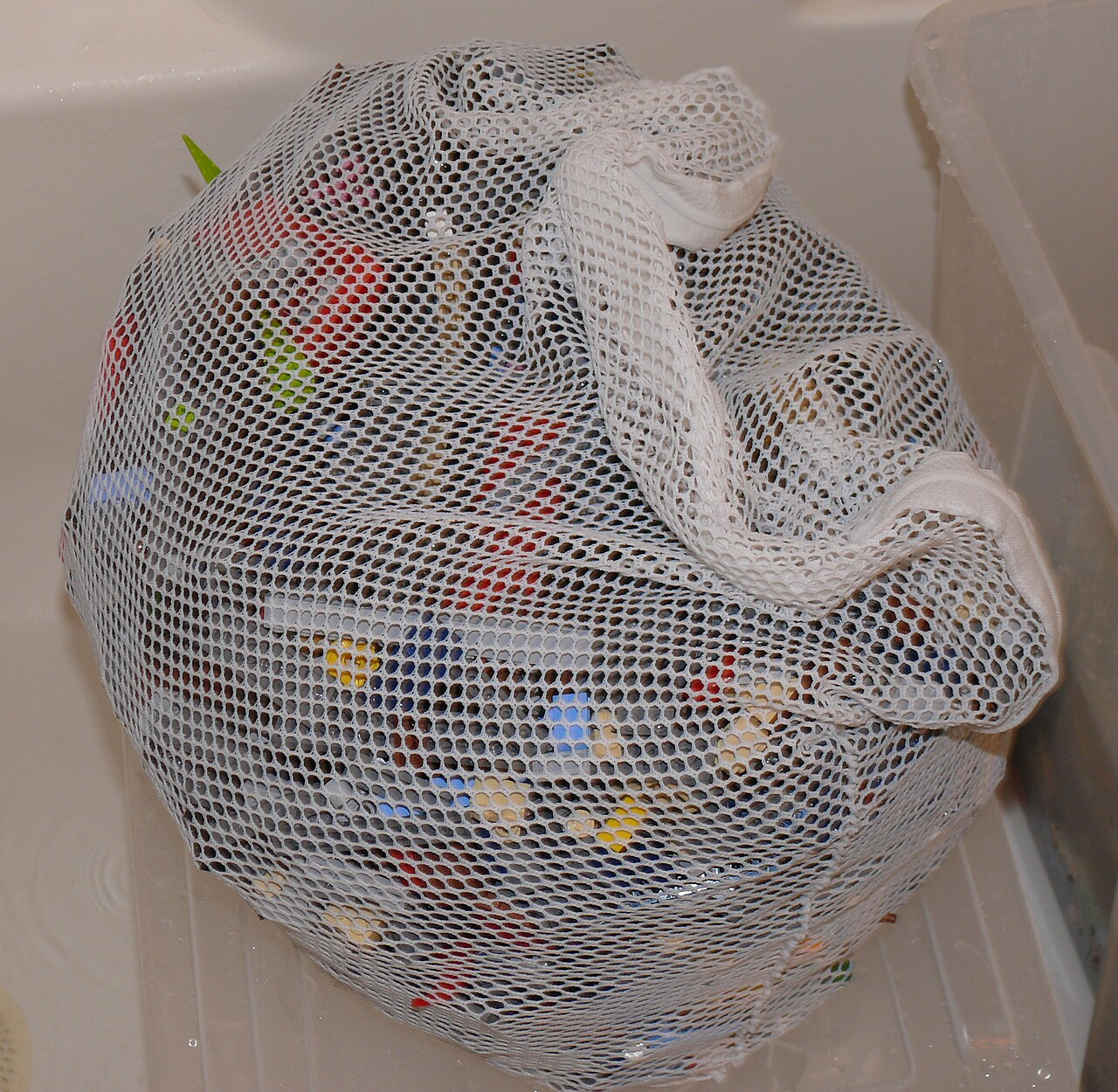
These are mesh bags with drawstrings that you stuff clothes into before putting in the washing machine. They extend the life of the clothes that would otherwise be damaged by bouncing around the washing machine. They're great for putting your delicates in before a cycle. Pro-tip: get a bag with very sturdy drawstring stopper - cheaper bags are prone to come undone during the wash cycle, allowing the clothes to spill out into the drum.

Shoe horn
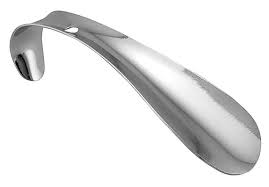
They make it easier to get your shoes on and off. Small metal ones are all you need, so get a couple and leave them around the house where you usually take your shoes on or off.
Latex pillow
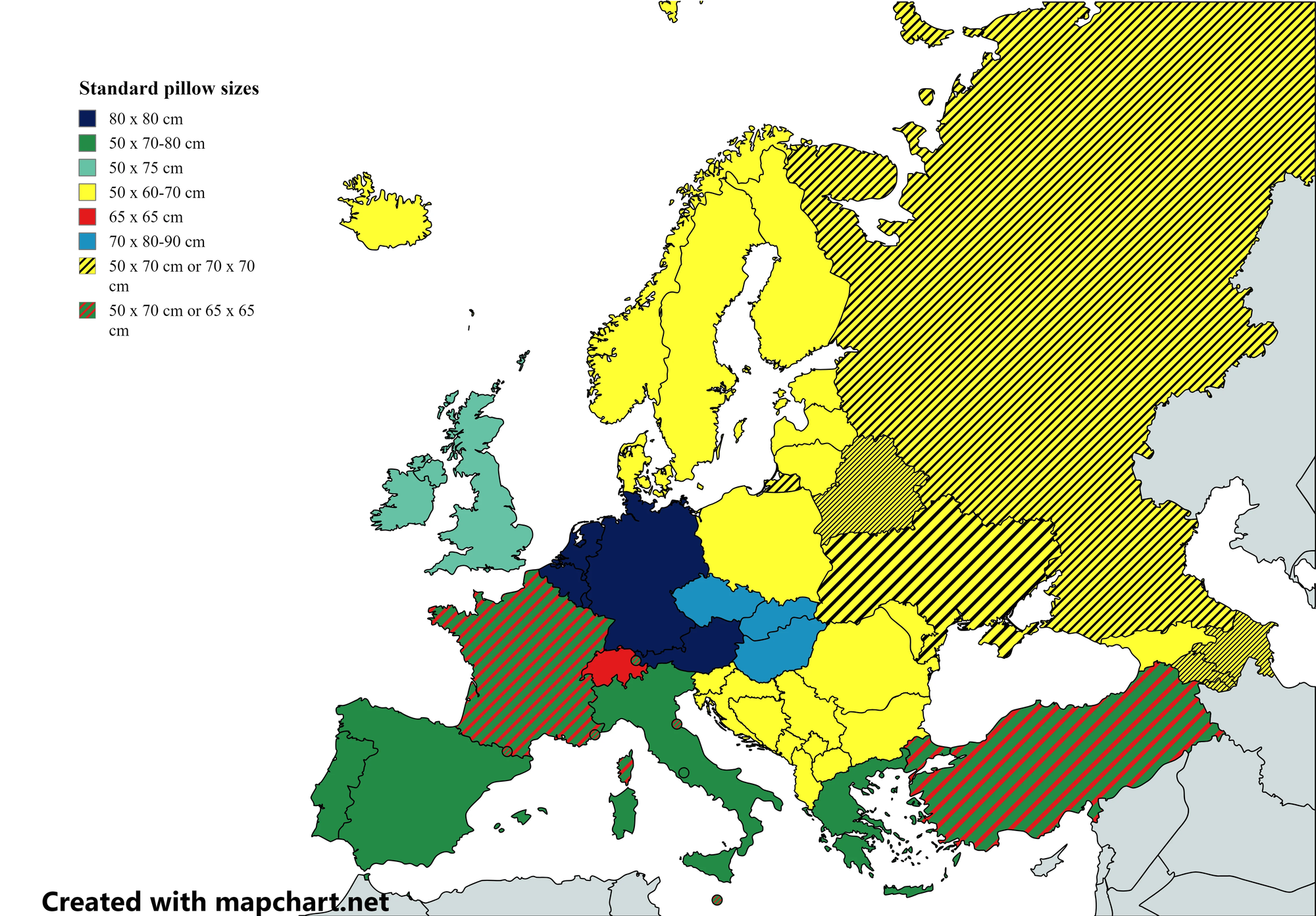
Latex pillows are great for back and side sleepers because they are significantly firmer and offer much better neck support. I got two pillows from Heveya in Singapore and I love the firm support. The cost per use is very good as they may only need replacing every 2-4 years, better than feather pillows that need replacing every 1-3 years. They may be more hypoallergenic than feather pillows, though recent studies question this. Tip: measure the pillows because different countries use different pillow sizes so matching pillow to pillow-case can be a hassle.

Find more recommendations
r/buyitforlife and r/bifl
If you have to make a significant purchase then it's well worth scrolling the Buy It For Life (BIFL) subs and their archives for recommendations. A common sub-genre is the "I'm travelling to X, what're some value for money things I can get only there." Some posts are transparent marketing but the archives and the replies to genuine questions are where it's at.
Note that both communities suffer from a vocal minority that do not understand the meaning of the term "buy it for life". These folks complain that their socks wore out after only ten years of daily use. Ignore those misguided posters.
r/onebag and r/heronebag
This is a spiritual sub-sub-sub-genre of BIFL that's dedicated to travelling on holiday with a single excellent carry-on bag. Within this community is the sub-sub-sub-sub-genre of r/heronebag for travelling with a single excellent carry-on bag as a woman. I link this purely because a common refrain to the idea of one bag travel is that it's harder for women. My sense from following this subreddit is that it is indeed harder for women to travel with one bag due to the societal expectations placed upon them and the additional things they must carry with them to meet those expectations. However, it's very possible for women to travel with a single carry-on and the r/heronebag community will show you how.
Discussion often meanders into the delightful topic of high-quality one bags for non-travel needs, such as every-day carry (EDC), although the questions come dangerously close to the thematically adjacent community of r/manybaggers.
Appendix: Meta / Changelog
Web archivers
In an earlier draft, I thought about recommending archive.today and its mirrors like archive.is for accessing a webpage that had disappeared. These are archivers who store a webpage's full text for anyone to read, regardless of whether the site dies or changes. So I was going to recommend it as a useful resource.
Not any more. In 2023, the technologist and travel enthusiast Jani Patokallio published an investigation into archive.today's funding and the founder's identity. The founder is known only as Denis Petrov, a common Russian pseudonym - equivalent to John Smith in English. In October 2025, the FBI subpoenaed archive.today's domain registrar to help identify its owner in connection with a criminal investigation. In January 2026, archive.today was credibly accused of using their CAPTCHA logins to direct DDOS attacks against Patokallio's site where he published his investigation. This behaviour led Wikipedia to commit to remove over 695,000 archive.today links from its site. So I can't in good conscience recommend anyone use archive.today or its affiliated sites.
However, archive.today is far from the only web archiver on the internet. I urge you to use legit archivers, like the Wayback Machine on archive.org. A great way to access them is the Web Archives extension for Chrome and Firefox. It lets you right click a link and search for it in an archiver in a new tab. You can select from any number of web archivers in the extension; but here's a pro-tip, if you enter the extension settings and turn off every archiver except the one you use, then it stops asking you which archiver to use and always uses your preferred choice. Save yourself a click.